~/vinamelody

SongLoops

Loop. Learn. Master.

SongLoops turns any part of a song into repeatable practice loops so you can slow down tricky passages, stay in rhythm, and nail every note with confidence.

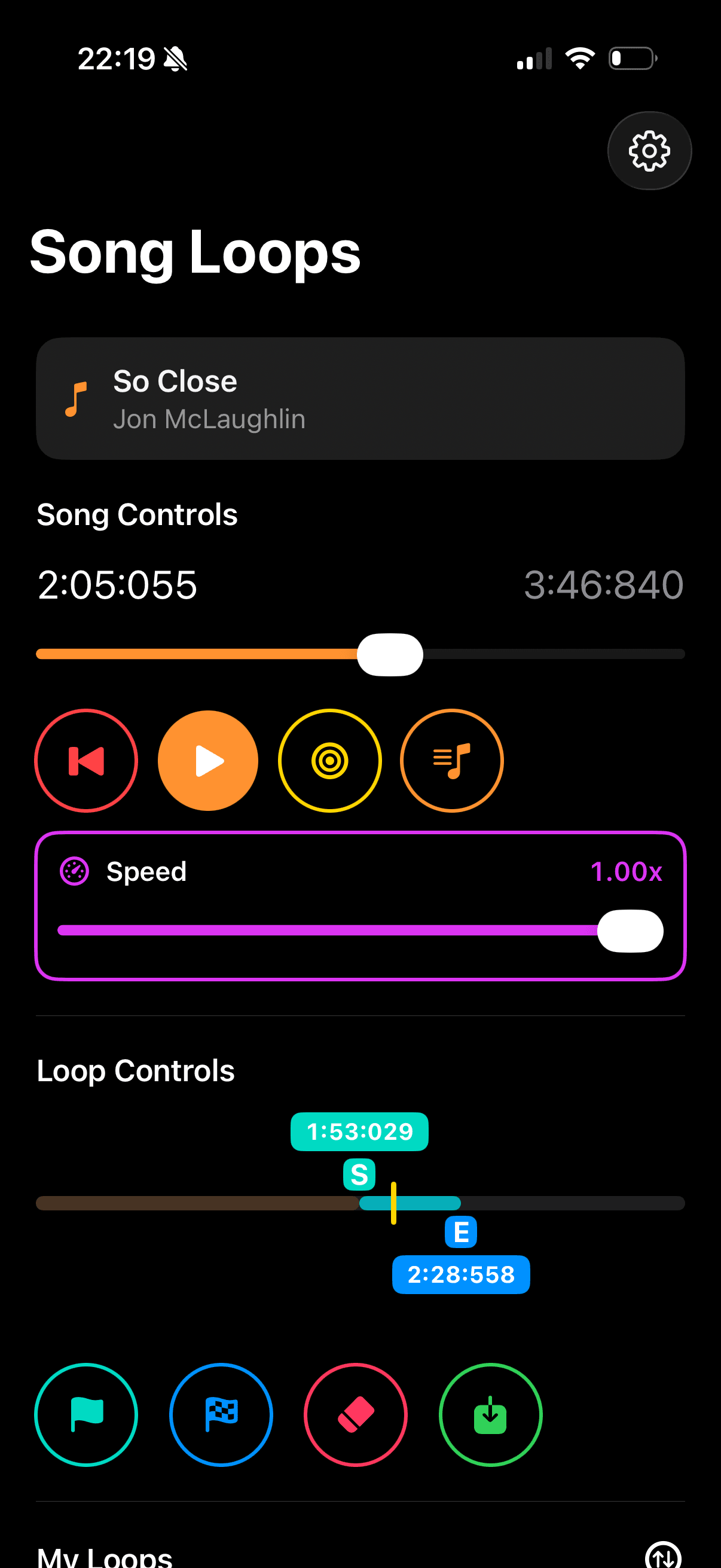
SongLoops app preview inside iPhone frame
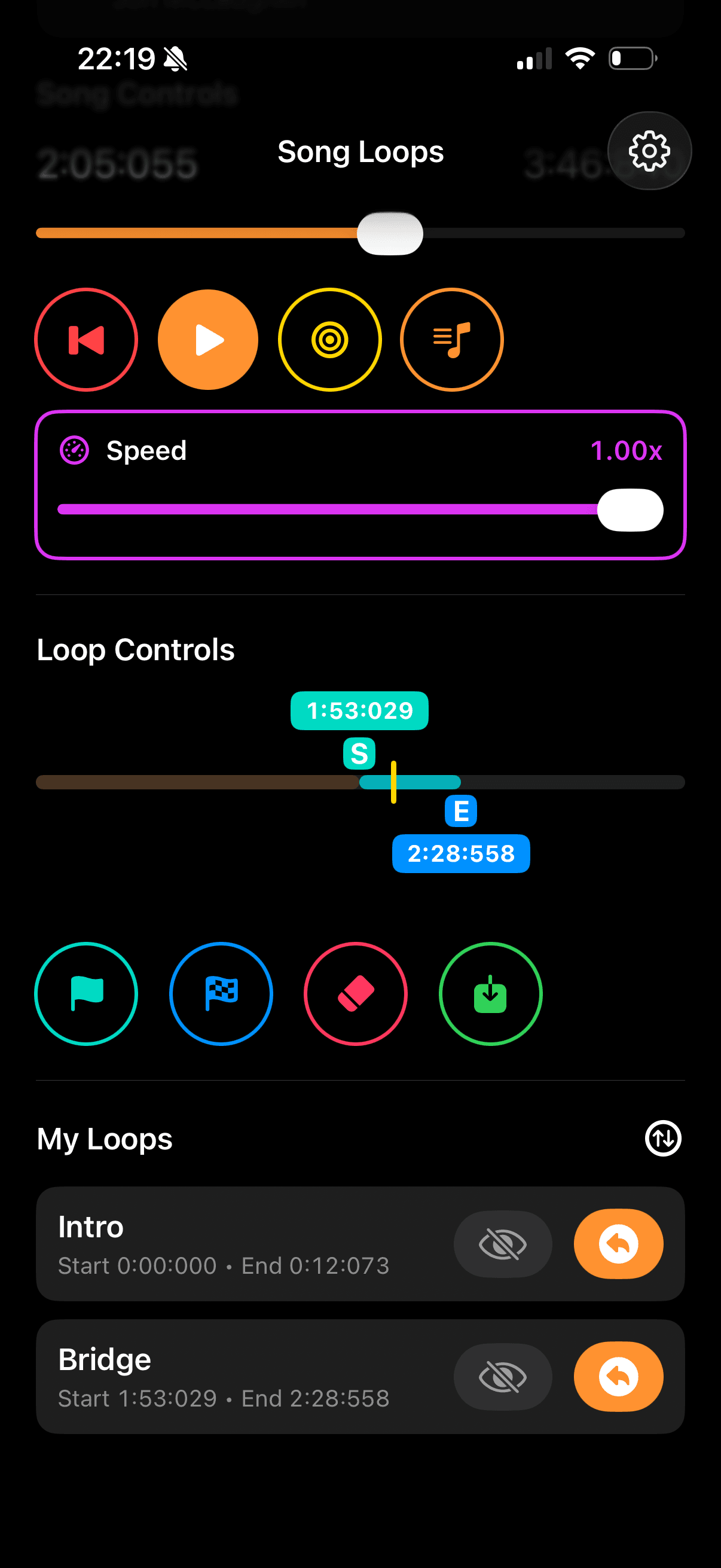
SongLoops app screenshot inside iPhone frame

How it works

  1. 1.Choose a song directly from your Apple Music library.
  2. 2.Set a precise start point and end point for the section you want to practice.
  3. 3.Run that loop continuously until the phrase feels natural and fully mastered.

Note: SongLoops requires an active Apple Music subscription and permission to access your media library. If you are not subscribed yet, SongLoops can show Apple's official subscription offer.

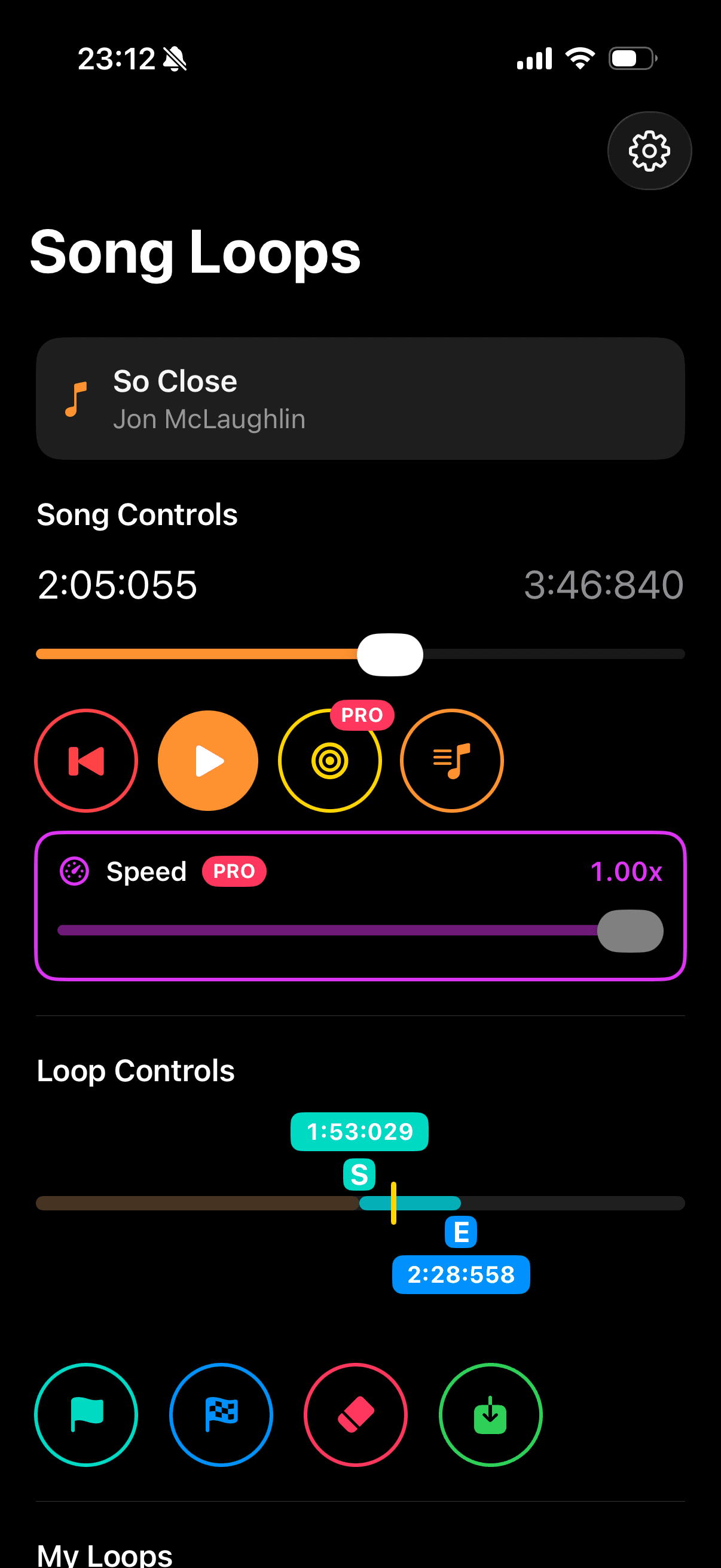
SongLoops Pro app screenshot inside iPhone frame

Pro features made simple

  • Jump to an exact moment in the song, down to minute, second, and millisecond.
  • Slow playback from normal speed to 0.25x so hard parts are easier to hear.
  • Save your loop start and end points with names, then place them on your loop timeline.
  • Play all your saved loops one after another for focused practice sessions.
  • Reorder saved loops anytime to match the way you want to practice.

Frequently Asked Questions

Have unanswered questions? Found bugs? Got improvement ideas? Just send it to vinamelody+songloops@gmail.com

How do I create or remove a loop?
  1. Play your song and tap Mark Start at the beginning of your desired loop.
  2. Tap Mark End when the song reaches where the loop should stop.
  3. Once your loop appears highlighted in the Loop Controls timeline, tap Play to begin looping.
  4. Tap the Erase button to remove the loop
Is it a one time purchase to get the PRO and how much?

Yes, one time purchase. The price depends on your region but it's SGD $5.98 in Singapore.

Why is the Erase button disabled?

You need to have either the start or end marker on the Loop Controls timeline to enable the Erase button

What if I don't have Apple Music subscription?

If you haven't done the trial, please do. Otherwise, sadly this app won't work 😢.

Will the app work with external speaker or AirPlay?

Yes, by default, SongLoops will use system's sound output.

Does it have light and dark theme?

Yes it has.

Do you have any sort of tracking or telemetry to track my usage?

Zero tracking and telemetry, my friend 🍻. And it will stay like that.

What is the app's terms of use?

Privacy

SongLoops is built with privacy first. We do not use tracking libraries, ad SDKs, or telemetry analytics to monitor your behavior.

Summary: SongLoops keeps your loop data on-device, does not track you, and has no backend.

Full privacy details

Data controller and contact

What SongLoops accesses

  • Media Library permission, so you can load songs from Apple Music.
  • Apple Music subscription status only when needed to show Apple's official subscription offer in-app.

Data stored by the app

  • Your loop settings (start/end marks, names, order, and playback preferences) are stored on your device.
  • SongLoops has no backend.
  • SongLoops does not use iCloud or any other cloud syncing service.
  • SongLoops does not sell your data and does not share your personal data with advertisers.

Data sharing and third parties

  • We do not run user tracking or telemetry services in SongLoops.
  • Apple services are used only for music playback and subscription handling.
  • We do not use additional diagnostics or crash reporting tools beyond standard App Store and iOS system reporting.

Age audience

SongLoops is intended for a general audience aged 13 and above.

Your controls

  • You can revoke Media Library permission any time in iOS Settings.
  • You can delete the app to remove locally stored loop data from the device.

Legal jurisdiction

This privacy policy is governed by the laws of Singapore.

Updates to this policy

We may update this privacy policy as SongLoops evolves. Material changes will be reflected by updating the Last Updated date below.

Last Updated: March 8, 2026