VS Code Cheatsheet
I’m getting hooked to Visual Studio Code more and more thesedays … it’s light and fast! Here’s my cheatsheet when using VS Code.
Frequently used (but forgotten) shortcuts
- Copy current line up or down: Option + Shift + up/down
- Delete current line : ⌘ + Shift + K
- Move current line up or down: Option + up/down
- Prettify flat JSON: Option + Shift + f
- Show or hide sidebar: ⌘ + b
- Quick select the language: ⌘ + k then m
- Quick open file: ⌘ + p
PDF poster here.
Multiple selection and replace
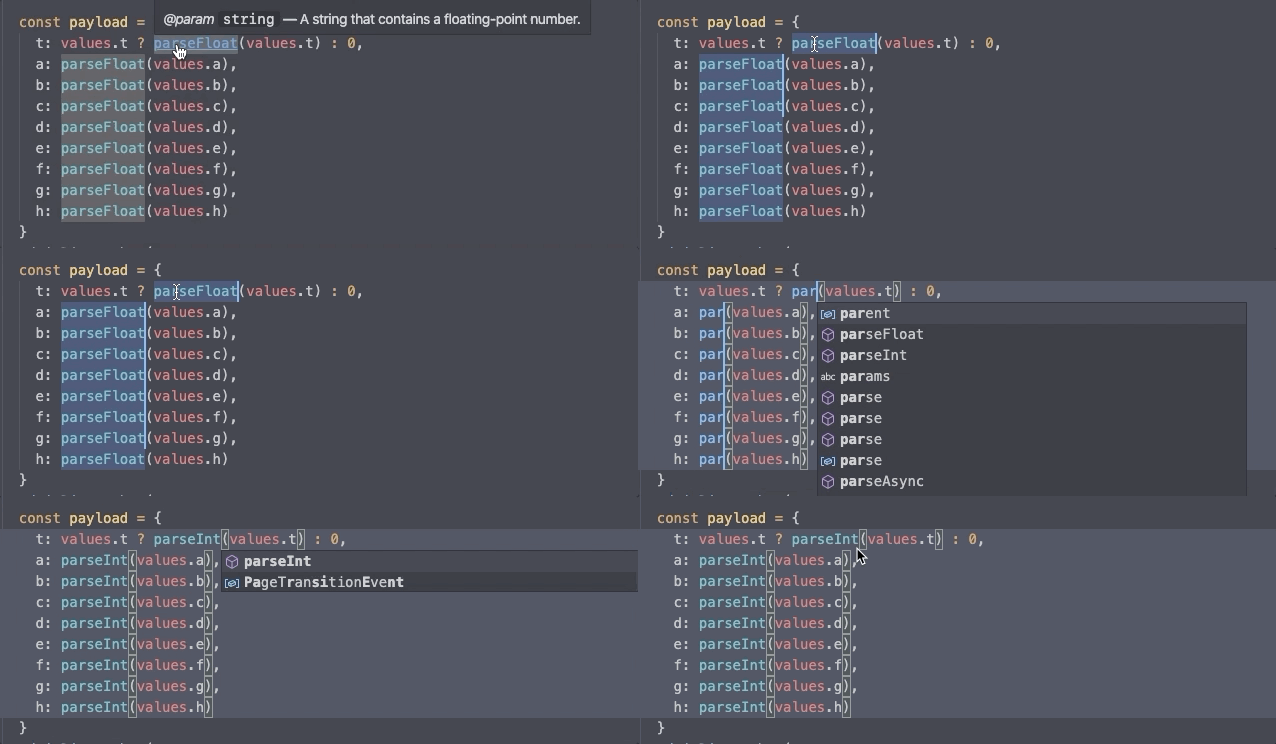
How to replace all parseFloat to parseInt ?
- Select
parseFloat - ⌘ + d will select other matching string. ⌘ + d again to select the next matching string
- Start typing
parseInt
Preferences
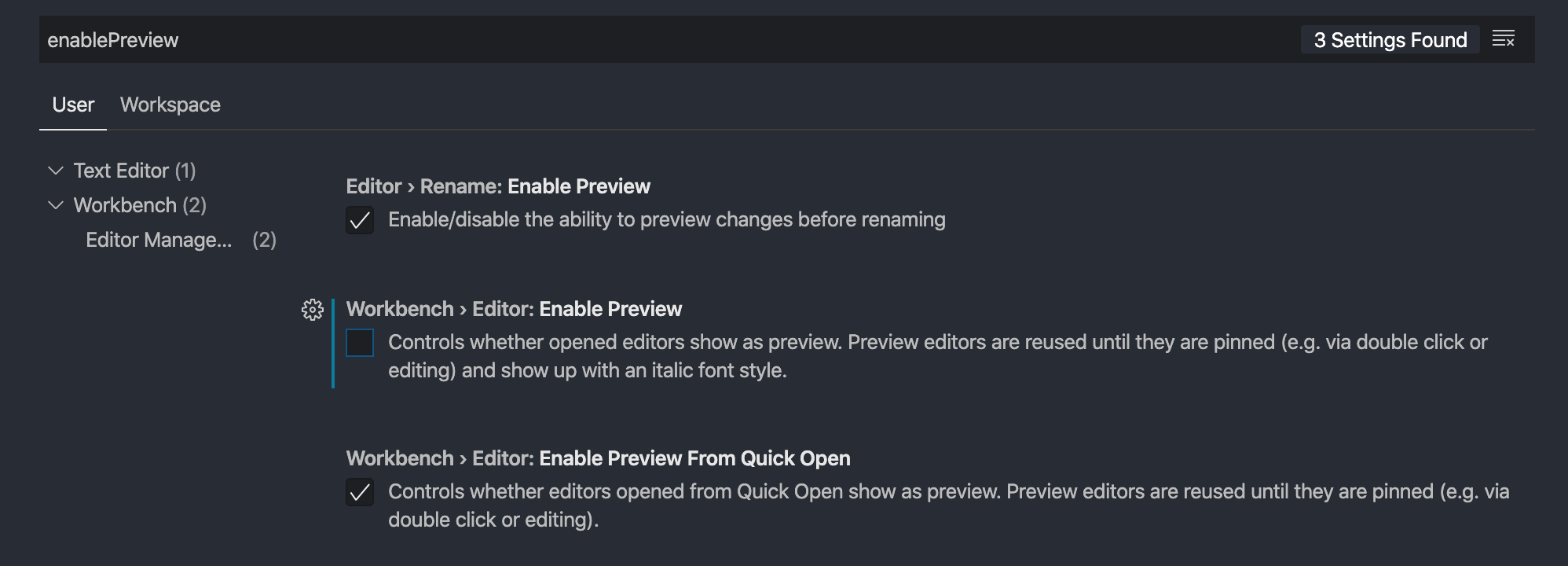
Disable preview
By default, when you click any file from the file tree, it will open a tab. If you don’t modify that file, VSCode will replace it with the next file that you click. However, I want VSCode not to close files that I clicked.
Hit ⌘ + ,, type enablePreview. Uncheck the Workbench > Editor: Enable Preview.
String processing using regex
Single line selection
Let’s say I have these lines, shortened from a long list of enum cases.
I can select each line by pressing shortcut to find (⌘+f), activate the regex icon .* or by pressing (⌘ + option + r) and type ^(.+)$. Once again, make sure the Regex button is selected. In this case, ^(.+)$ is the regex, and anything selected is put into variable $1.
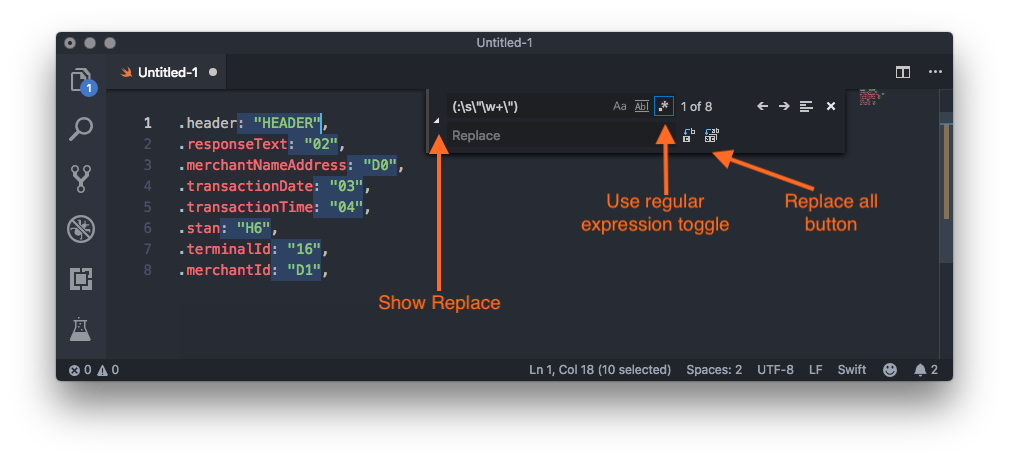
Thing is, I just want the case name with dot e.g. .merchantId. How can I remove the trailing? I’ll go over Regex101, copy paste a sample line .merchantId: "D1", and play around!
First, I got (:\s\"\w+\",) to select everything beginning from : to the ,.
But I realise that I still need the comma, so I ended up using (:\s\"\w+\").
So, hit ⌘+f , enter the regex and click the Replace All button.
In case I want to add : for each line again, I can select each line with ^(.+)$, and replace it with $1:! Magic!
Multi line selection
Let’s say I have a long JSON text. I want to search and replace the entire value of type from null to null, string.
I could use this regex (partnerName".*\n\s*"type":\s*)"null" and replace with $1"string, null"
If the partnerName value is string and I need to change the regex to (partnerName".*\n\s*"type":\s*)"string".
Yep, I should credit to Mark, the guy who answered my question on Stackoverflow.
Sample snippet: